




Adding Passwordless Auth to My Own Site with Next.js 16 and Supabase
For a while this site was a one-way street. I write, you read, maybe you fill in the contact form. That's it.
I wanted a door. A place where people who actually want to work with me can sign in, keep a profile, grab the resources I write, and send me a consultancy request that lands in one tidy inbox instead of scattered across email threads.
What I did not want was to bolt a heavyweight auth platform onto a personal site. No password resets to babysit. No "forgot password" support emails. So I went passwordless with Supabase magic links, on the Next.js 16 App Router. Here's how it went — including the parts that bit me.
Why magic links
Passwords are a liability you host on behalf of your users. For a site like this, the math is easy: the audience is largely technical, everyone has an email, and nobody wants yet another password in their manager.
Magic link means the flow is: type your email, get a one-time link, click it, you're in. Supabase issues the token, verifies it, and hands back a session. I store zero credentials. The worst thing in my database is a first name and an avatar URL.
The stack
- Supabase Auth for the identity + session tokens
@supabase/ssrto wire those tokens into cookies the App Router can read on the server- Next.js 16, which is where I lost an hour
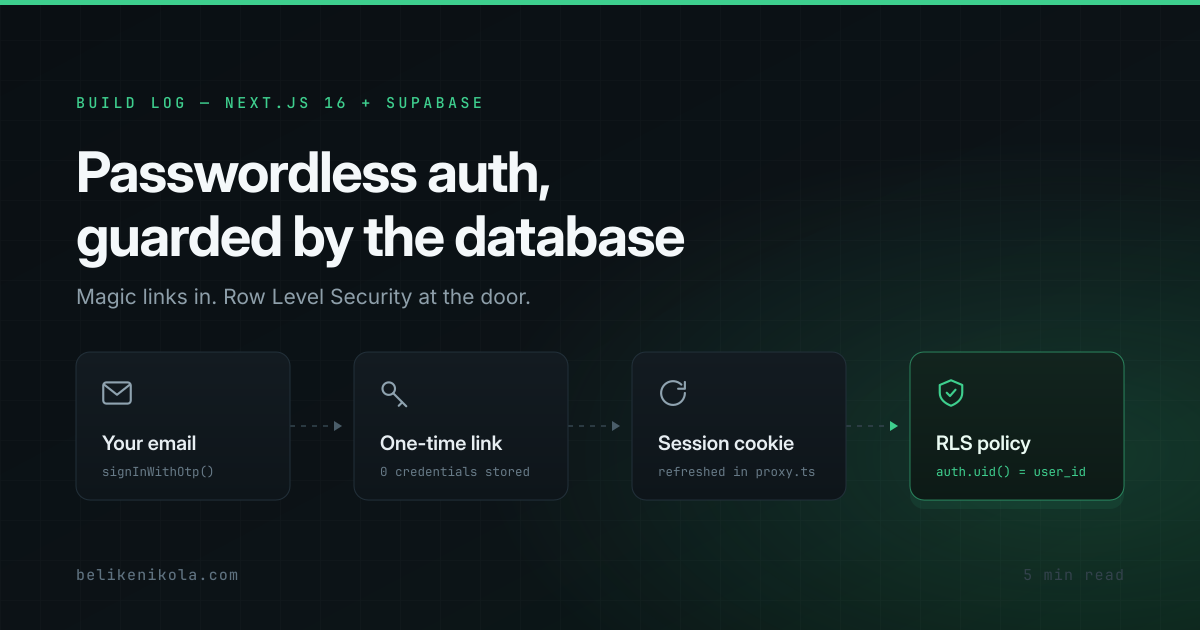
Here's the whole journey a sign-in takes — email in, Row Level Security at the door:
Gotcha #1: middleware is now proxy
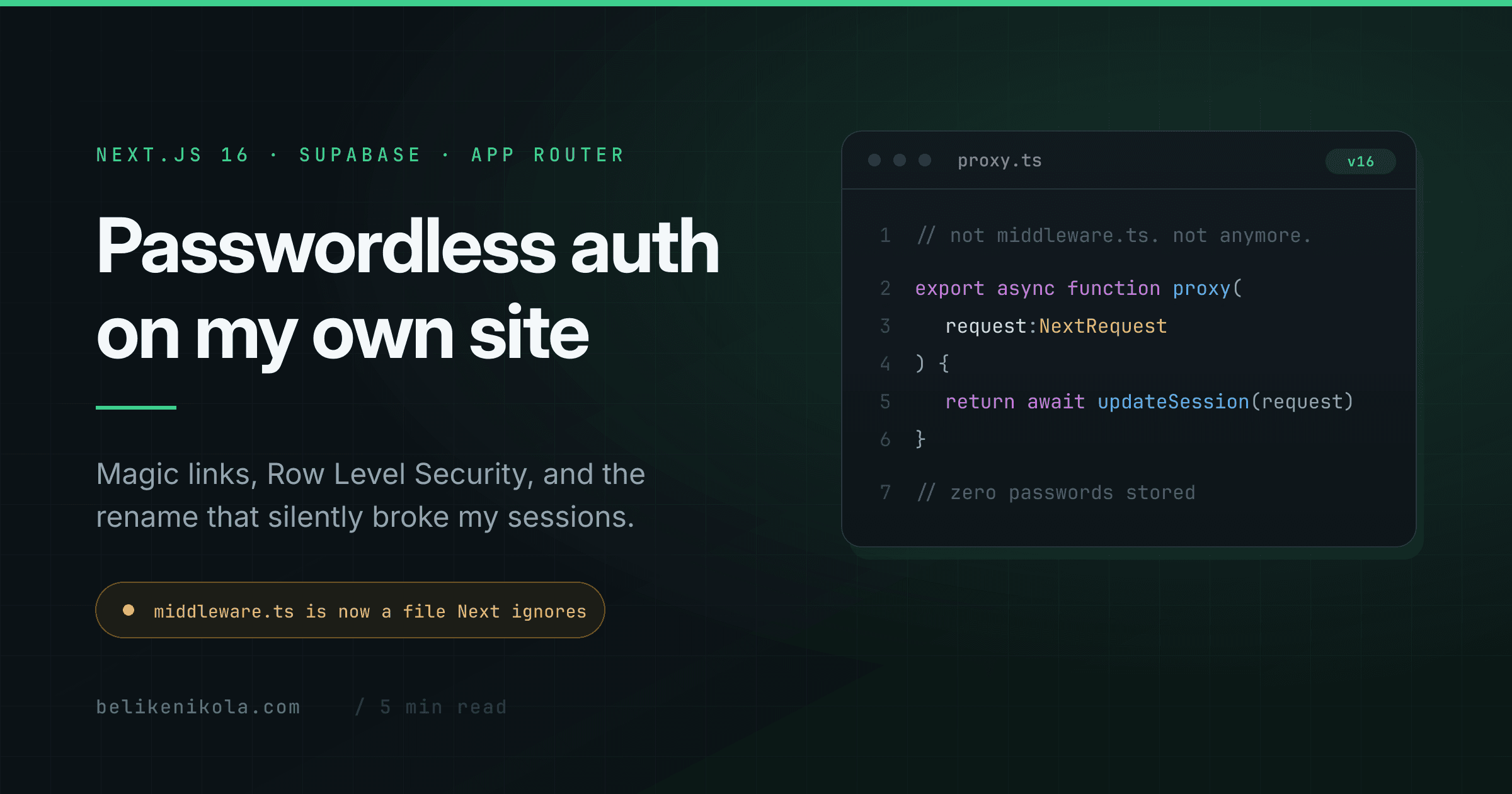
Supabase's SSR setup leans on middleware to refresh the session cookie on every request. In Next.js 16 the middleware convention was renamed to proxy — the file is proxy.ts, the exported function is proxy, and it runs on the Node.js runtime (the edge runtime isn't supported there anymore).
So the session-refresh entry point looks like this:
// proxy.ts
import { type NextRequest } from 'next/server';
import { updateSession } from '@/lib/supabase/middleware';

export async function proxy(request: NextRequest) {
  return await updateSession(request);
}

export const config = {
  matcher: [
    '/((?!_next/static|_next/image|favicon.ico|.*\\.(?:svg|png|jpg|jpeg|gif|webp|ico)$).*)',
  ],
};
If you copy a 2024-era Supabase tutorial into a fresh Next.js 16 app, your auth will silently do nothing, because your middleware.ts is now just a file Next.js ignores. Nothing errors. Sessions just quietly refuse to persist. That's the worst kind of bug.
Gotcha #2: don't do work between the client and getUser()
Inside that updateSession helper there's a comment I'd tattoo on the codebase if I could:
// IMPORTANT: do not run other logic between createServerClient and getUser()
// — it must run to refresh the token, or sessions randomly log out.
const {
  data: { user },
} = await supabase.auth.getUser();
The createServerClient call sets up cookie handlers; getUser() is what actually forces the token refresh and writes the new cookies back onto the response. Slip an await for something else in between and you get intermittent, impossible-to-reproduce logouts. Ask me how I know.
Three clients, one mental model
The thing that finally made SSR auth click for me is that you have three Supabase clients, each with a different job:
- Browser client — for Client Components (the sign-in form calling
signInWithOtp) - Server client — for Server Components, Route Handlers, and Server Actions; reads the session from
cookies() - Middleware client — lives in
proxy.ts, exists purely to refresh the cookie on each request
They all share the same cookie getAll/setAll shape. Once I stopped thinking of it as "a Supabase client" and started thinking "which execution context am I in," the boilerplate stopped feeling arbitrary.
The database does the security, not my code
The part I care most about: the access rules live in the database as Row Level Security policies, not scattered through my route handlers where I might forget one.
create policy "Users read own requests"
  on public.consultancy_requests for select
  using (auth.uid() = user_id);

create policy "Users insert own requests"
  on public.consultancy_requests for insert
  with check (auth.uid() = user_id);
My API route inserts a consultancy request under the user's own session, and Postgres refuses to let anyone read or write a row that isn't theirs — even if I write a sloppy query. A trigger auto-creates a profile row the moment someone signs up, so there's no "create your profile" step to forget.
This is the same instinct behind good multi-tenant design: push the tenancy boundary down to the data layer so a bug in the app layer can't leak across it.
Gotcha #3: fail soft when the env isn't there
Auth needs environment variables — the Supabase URL and the public anon key. On a preview deploy, or a fresh clone, those might be missing. The lazy version of this code throws on boot and takes the whole site down.
I didn't want a missing key to 500 my homepage. So every entry point checks first:
export function isSupabaseAuthConfigured(): boolean {
  return Boolean(SUPABASE_URL && SUPABASE_ANON_KEY);
}
If auth isn't configured, proxy.ts becomes a no-op, the "Sign in" link hides itself, and the member area quietly redirects home. The blog, the work pages, the contact form — all keep working. A feature being unconfigured should degrade one feature, not the site.
What it does now
Signed-in members land in their Inner Circle: edit a profile, download the resources without the email gate, and send me a consultancy request that inserts to Supabase and emails me through the same SMTP transport the contact form already uses. One request, two destinations, no duplicated mailer code.
It's deliberately small. It's the door, not the whole house — and I'd rather ship a solid door than a half-built mansion.
This is the kind of thing I do for clients too — auth, multi-tenant data models, and the unglamorous production hardening that keeps them standing. If you're building something that needs users, here's how I can help.